How to sync your Pokémon TCG Pocket data
Import your collection, wanted cards, nickname, avatar and friend code. Sync while you are not playing: you may need to sign in to the game again afterward.
01
Link your game account
In Pokémon TCG Pocket, open Other → Account and link your Nintendo account. Sign in to this site and verify your email.
02
Open data sync
Open “Sync game data” on this site, choose “Start linking Nintendo”, then open the Nintendo login page.
03
Copy the button link
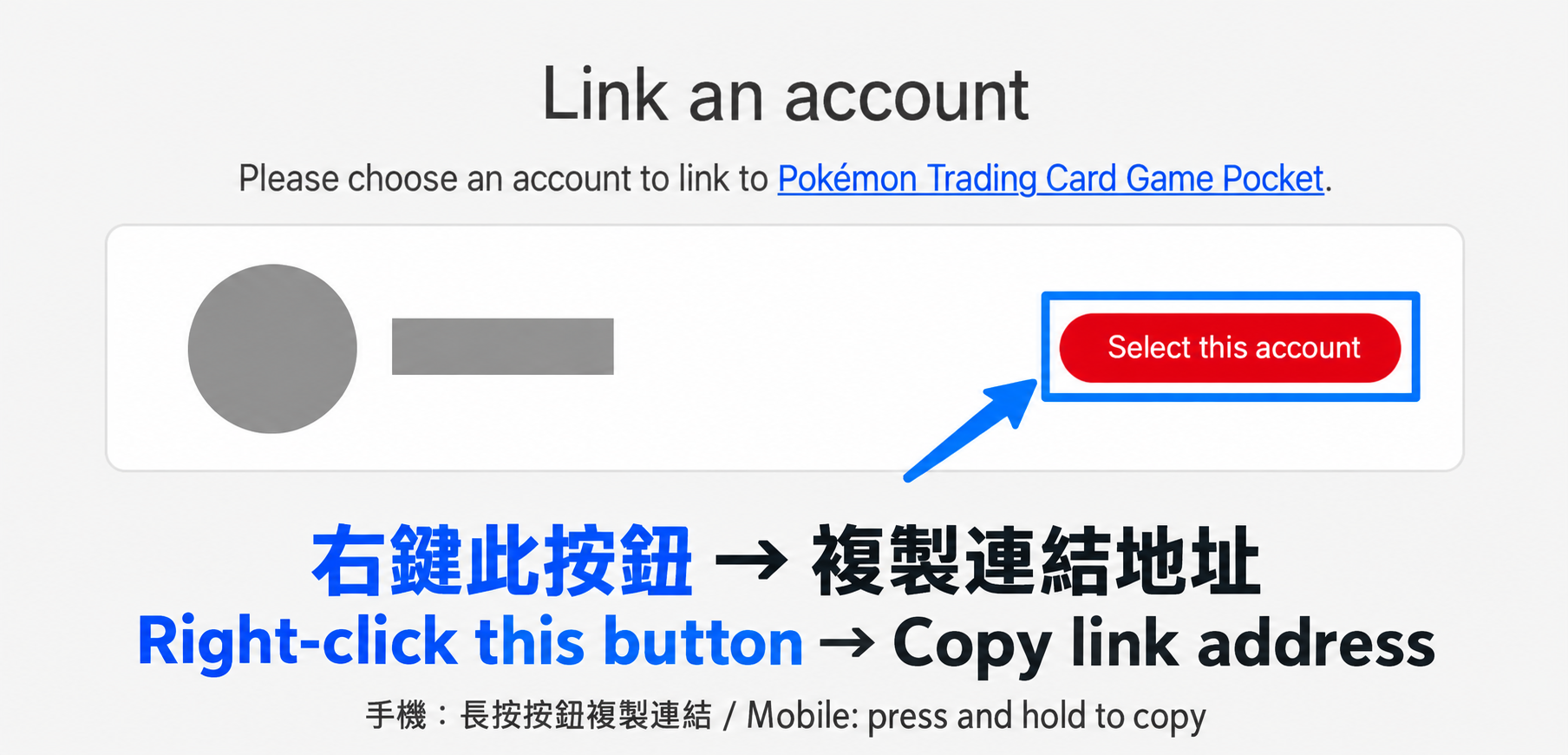
Sign in on accounts.nintendo.com. Right-click the red “Select this account” button and choose “Copy link address”; on a phone, press and hold it. Copy the button link, not the address bar. Do not share this link.
04
Paste the link
Return to the sync window, paste the link and choose “Verify and read”. Wait for reading to finish.
05
Confirm the import
Check the card counts and confirm the import to save your data.